Pre-Release Actions for Fingerprinting Feeds
Last updated 7 months ago
Go to “Distribution” > “Offers” on product page to create an offer:
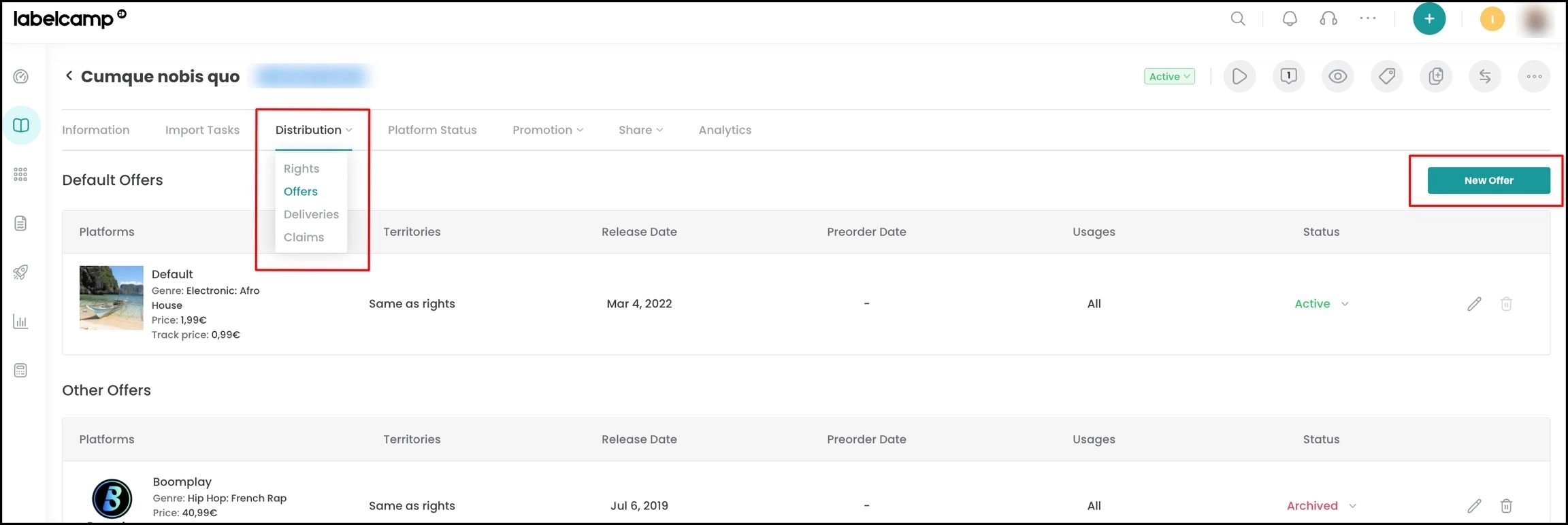
Add the relevant fingerprinting DSP in the platform field:

Choose your pre-release action (block, monetize or track):
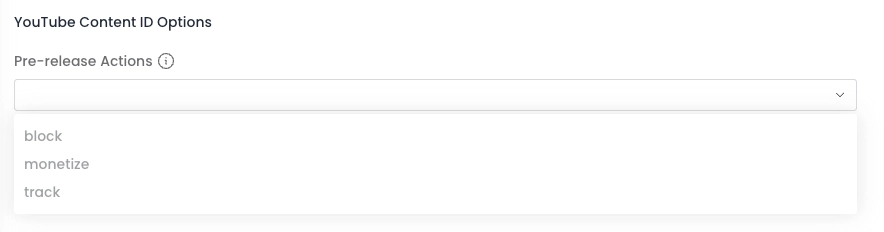
Then choose your Actions or Custom policy post release.
You can't choose a default YouTube Action and a YouTube Custom Policy. If you fill both options, we will take only the YouTube Action into account.
Fingerprinting feed actions (definitions):
⇒ Monetize: If users upload content containing all or part of an audio track "owned" by a distributor (e.g., a YouTube video with background music), the content is monetized (often resulting in ads being added before or during playback).
⇒ Track: If users upload content containing all or part of an audio track "owned" by a distributor, the content can remain available, but its usage data is tracked and shared with the distributor (e.g., number of plays, listening time, etc.).
⇒ Block: If users upload content containing all or part of an audio track "owned" by a distributor, the content is blocked and made unavailable.
You can also set a default pre-release action for all fingerprinting deliveries. Please contact help@labelcamp.io
Was this helpful?
Still need help? Ask the team