Spotify Video Options
Last updated Over 1 year ago
Spotify Video AV Ratings
In compliance with Spotify's guidelines regarding explicit video content, an AV Rating can be applied on videos sent through a Spotify Video feed.
When editing a Video asset, an 'Explicit content (AV rating)' setting is available at the bottom of the video's form.
'PG' AV Rating delivered by the British Board of Film Classification:
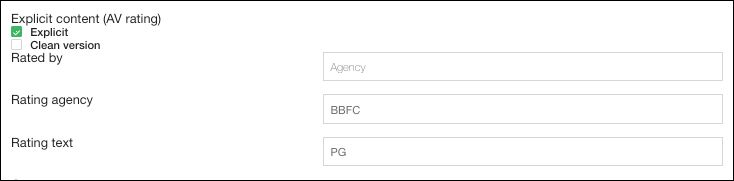
There are 3 combinations possible for this setting:
Explicit + Rated by: Distributor: can be used to have a 'Spotify 18+' AV Rating included in the xml of the video product sent to Spotify
Explicit + Rated by: Agency: can be used to specify a specific Rating Agency and a specific Rating Category in the xml of the video product sent to Spotify
Explicit + Clean Version + Rated by (Agency or Distributor): can be used to indicate that the video has been edited to remove all the explicit content or references. An 'Explicit Content Edited' tag is included in the xml of the video product sent to Spotify.
'Clean Version' specified by the Distributor of the video:

Rating Agencies should be specified with their Designation and not with their full name.
A non-exhaustive list of Rating Agencies, with their Designations, is available here.
Spotify Performance Videos
Performance Videos – i.e. concerts, studio sessions, acoustics, talk show performances, live or studio covers, etc. – can be delivered to Spotify by enabling the Performance Video setting in a dedicated Spotify Video Offer.
Performance Video toggle button available in Spotify Video offers:
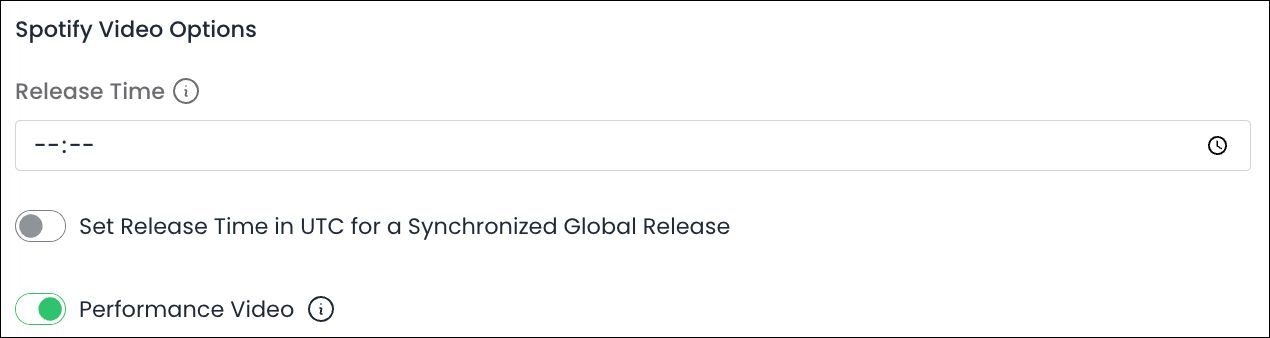
Enabling the setting will allow the delivery of the Performance Video to Spotify without a related audio ISRC detailed on the product’s Video, as such related audio ISRCs are mandatory for Official Music Videos but not for Performance Videos. Any related audio ISRC detailed on the product’s Video will also not be included in the product’s xml sent to Spotify.
Was this helpful?
Still need help? Ask the team