Introduction to Offers
Last updated About 1 year ago
Overview
An offer represents all the data for making a product available on the DSPs, including:
release date
pricing
etc.
The Default offer is the only mandatory one and is automatically created at product creation.
Offer Creation
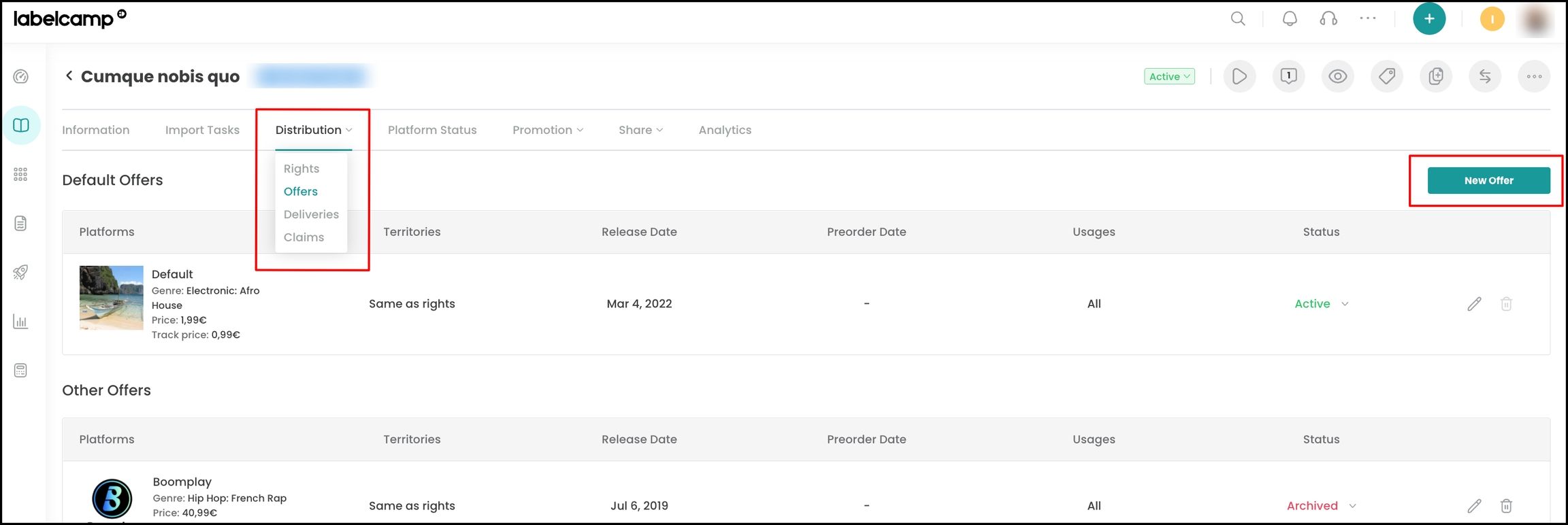
To create an offer, navigate to a product page, go to the Distribution menu, and click on Offers.
From there, you can either modify the Default offer or create a specific offer by clicking on New offer for one or more DSPs (simply specify the DSP(s) in the offer).
Offer Validation
To validate an offer, you must set it to “Active”, either from the offers index page or within the offer settings.
The Default offer status must be set to “Active” in order to deliver a release.
Example
In this example, all offers are currently Active:
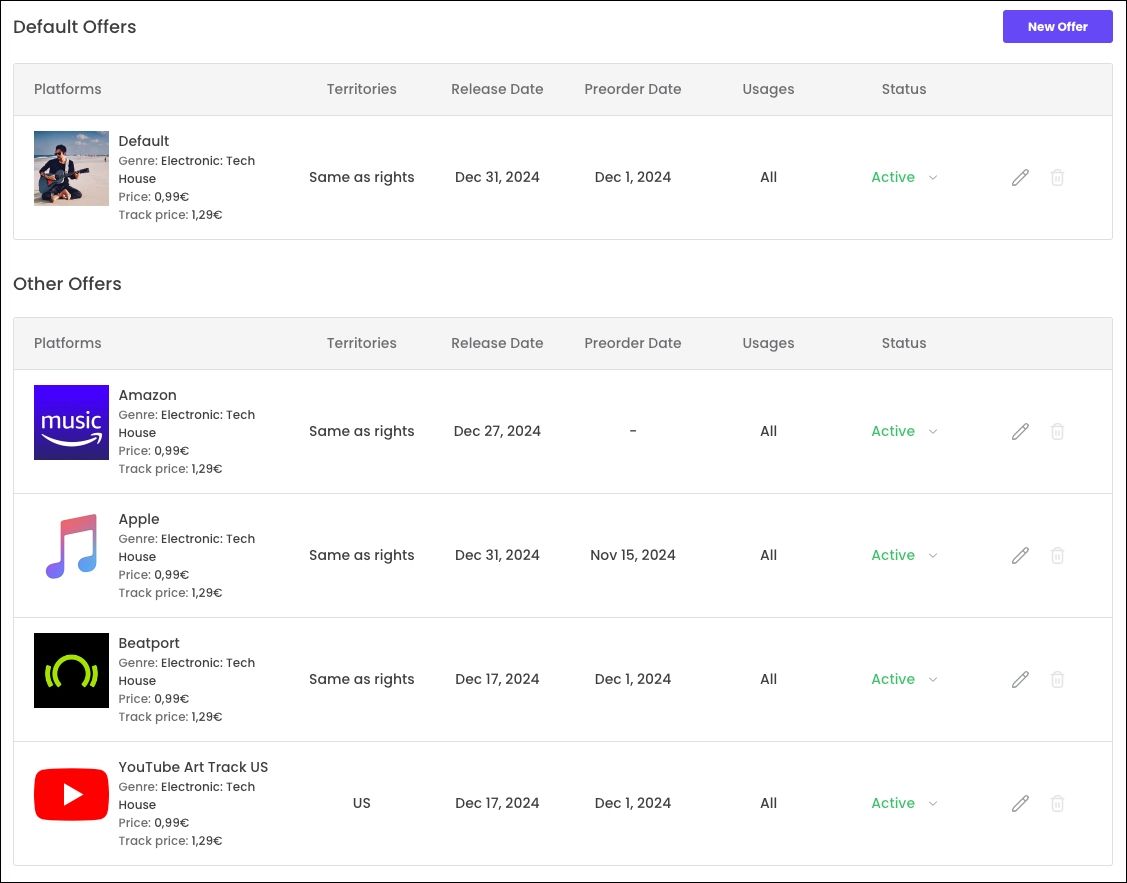
Due to the Default Offer, the single will be released on December 31, 2024, with a pre-order date of December 1, 2024, on all DSPs and for all the territories set in the Rights.
Except:
on Amazon (the single will be released on December 27, 2024)
on Apple (the pre-order date is November 15 on this DSP)
on Beatport (released on December 17, with a pre-order date of December 1st)
on YouTube Art Track (released on December 17, with a pre-order date of December 1st, but only in the US)
Was this helpful?
Still need help? Ask the team