Release Time Setting
Last updated 10 months ago
For relevant platforms supporting release time, it is possible to set a specific Release Time for products and/or tracks through a dedicated offer.
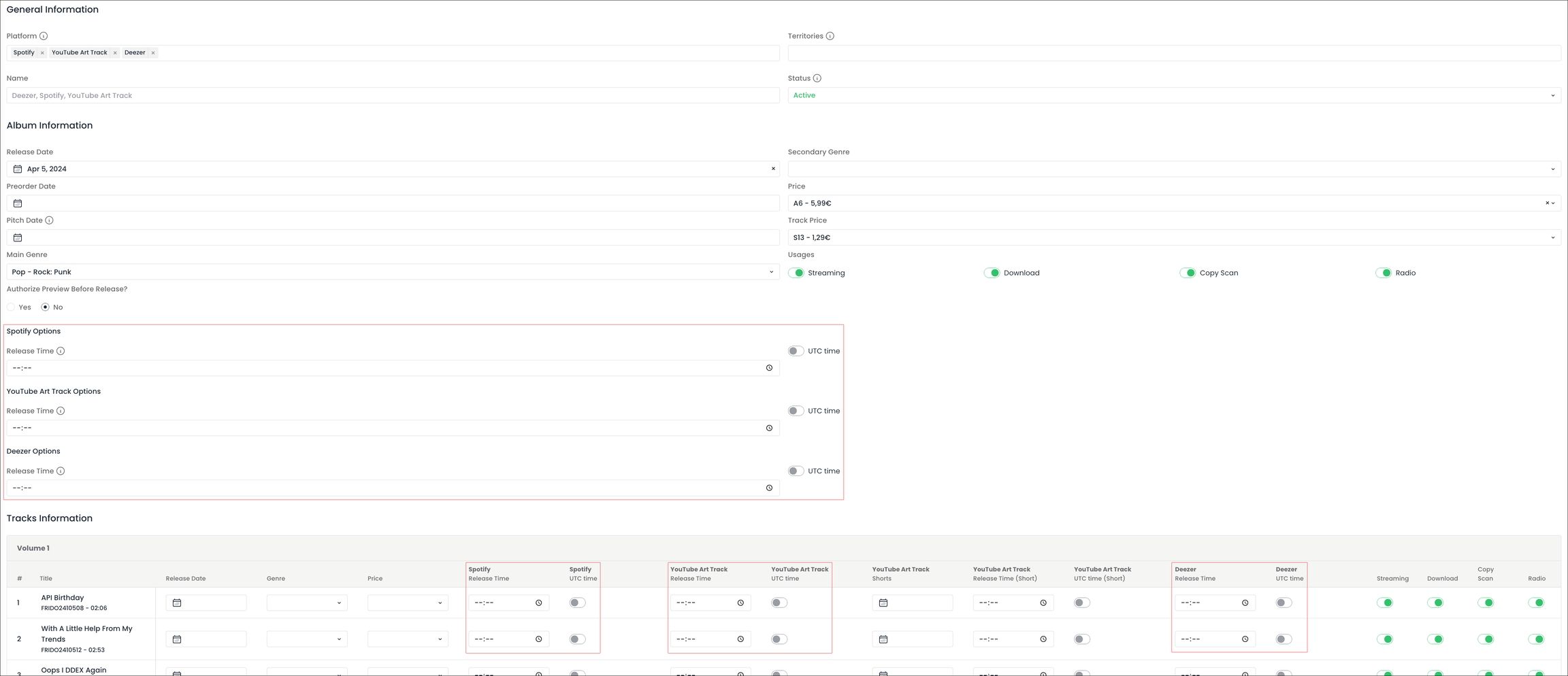
First, you have to create a new offer for the relevant DSPs. When selecting the platforms in the offer, the setting ‘Release Time’ will be displayed at product and track levels, allowing to specify a precise time of release in the hh:mm format.
Release Time setting displayed at product and track level after selecting Spotify, YouTube Art Track and Deezer in the offer:
There are 2 main configurations available for this feature :
UTC time disabled
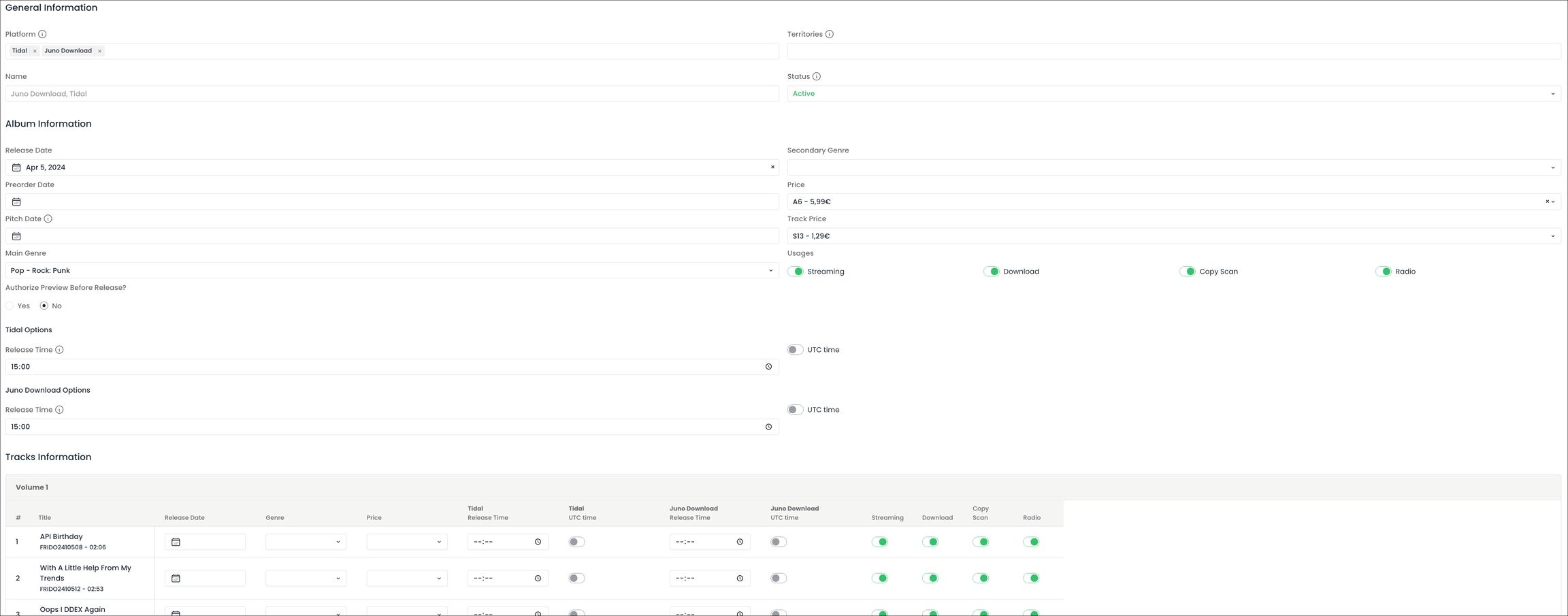
If the UTC time toggle button is disabled and a Release Time is specified, the product or track will be released on the relevant platform at the time of release, following the usual natural store turn behaviour.
e.g. 15:00 + UTC time disabled → The product or track will be released at 15:00 in Japan, 15:00 in India, 15:00 in Egypt, 15:00 in France, 15:00 in Argentina, etc.
Album release set at 15:00 local time on Tidal and Juno Download for all territories included in the product’s rights:
UTC time enabled - corresponding to a "Global Timed Release"
If the UTC time toggle button is enabled and a Release Time is specified, the product or track will be released on the platform simultaneously in all the territories included in the product’s rights, at the UTC time specified.
e.g. 10:00 UTC time enabled → the product will be released at 19:00 in Japan, 15:30 in India, 13:00 in Egypt, 12:00 in France, 07:00 in Argentina, etc.
Album Timed Release set on April 5th at 14:00 UTC on Deezer and Amazon, with track #2 going live before the album with a Time Release on April 3rd at 09:00 UTC:
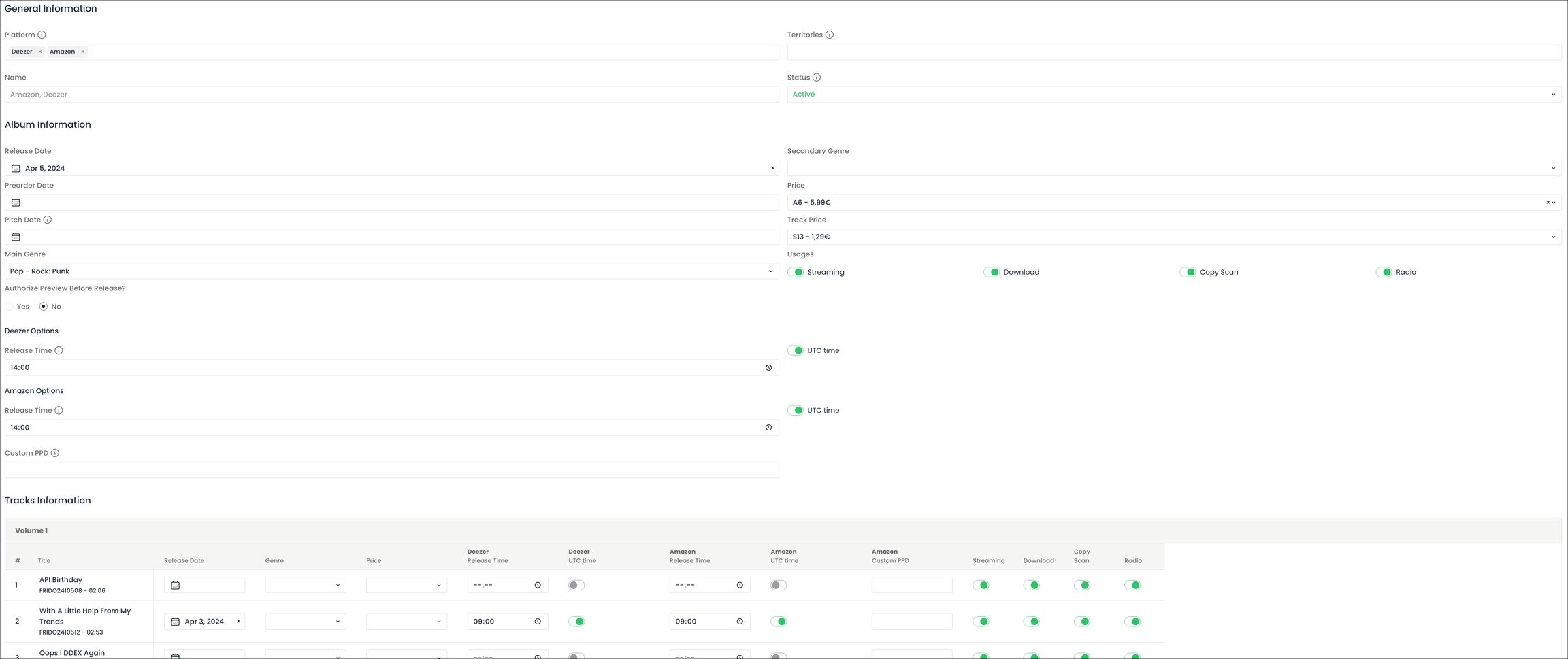
If multiple platforms are selected in the offer, the Release Times specified and the state of the UTC Time toggle button will be mirrored on all the platforms included in the offer.
Dailylight Saving Time (i.e. semi-annual time changes)
For territories which follow this practice, the time difference between UTC Time and the territory varies whether the territory is on Daylight Saving Time or on Standard Time.
Consequently, we strongly advise to check the time difference between UTC Time and the territories which are pivotal in your Timed Release strategy when delivering a release.
Switches to and from Daylight Saving Time should also be anticipated if one occurs between the delivery of a product to DSPs (with a Timed Release set) and the moment of its release.
e.g. if a release which needs to go live on April 5th 2024 at 16:00 FR time is delivered before the switch to Daylight Saving Time occurring on March 31st 2024, the UTC Release Time in the offer should be set taking into account that the difference between UTC Time and FR time on the day of the release will be UTC+2h (and not UTC+1h like on the day of its delivery).
Was this helpful?
Still need help? Ask the team