Managing duplicate artists
Last updated Over 1 year ago
Setting an Artist as the Priority Artist
In the case of homonymous artists - i.e. sharing the exact same name, casing included - it is possible to designate one of the artists as the Priority Artist so that all new products featuring this artist are linked to this particular artist page by default.
There are 2 ways to set an artist as Priority Artist :
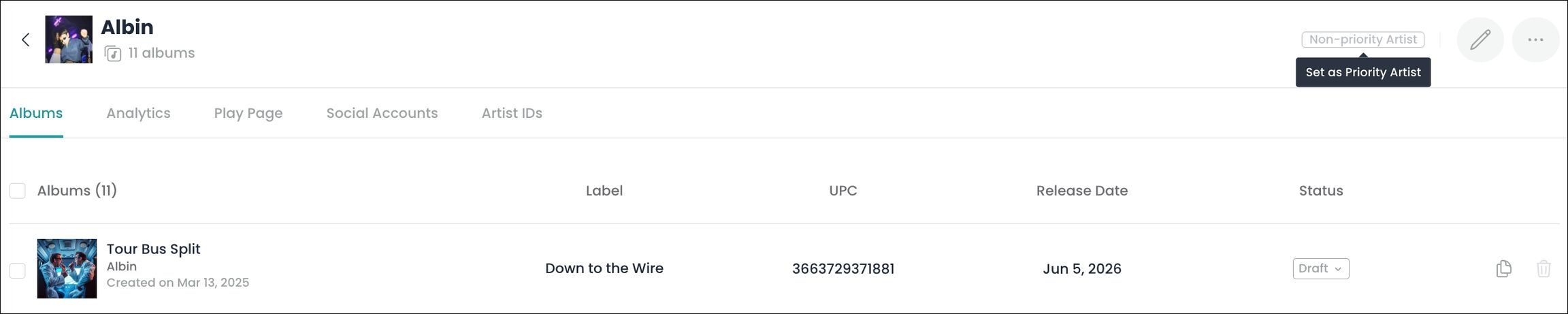
by clicking click on the 'Non-priority Artist' button displayed in the top right corner of the relevant artist page
CTA button to set the artist displayed as the Priority Artist:
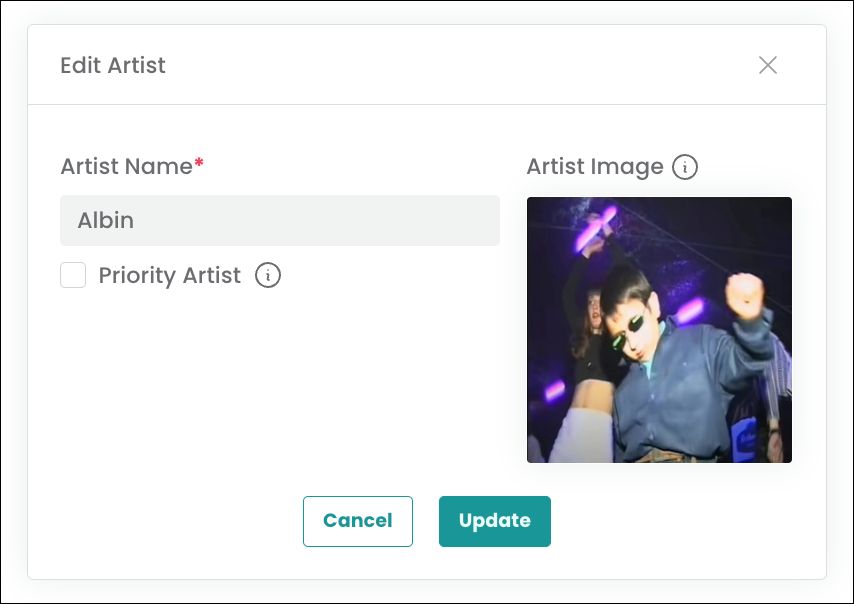
by clicking on the 'Edit' button displayed in the top right corner of the relevant artist page and ticking the 'Priority Artist' checkbox
Checkbox to set the artist displayed as the Priority Artist:
Unsetting an artist as Priority Artist can only be achieved by setting one of the homonymous artists as Priority Artist from the relevant artist page. It is not possible to just unset an artist as Priority Artist without designating a new one, as having one Priority Artist within a set of homonymous artists is required at all times.
Product migration across homonymous artist pages
In the case of homonymous artists - i.e. artists sharing the exact same name, casing included - products can be migrated in bulk from one artist to another, or to a new artist page.
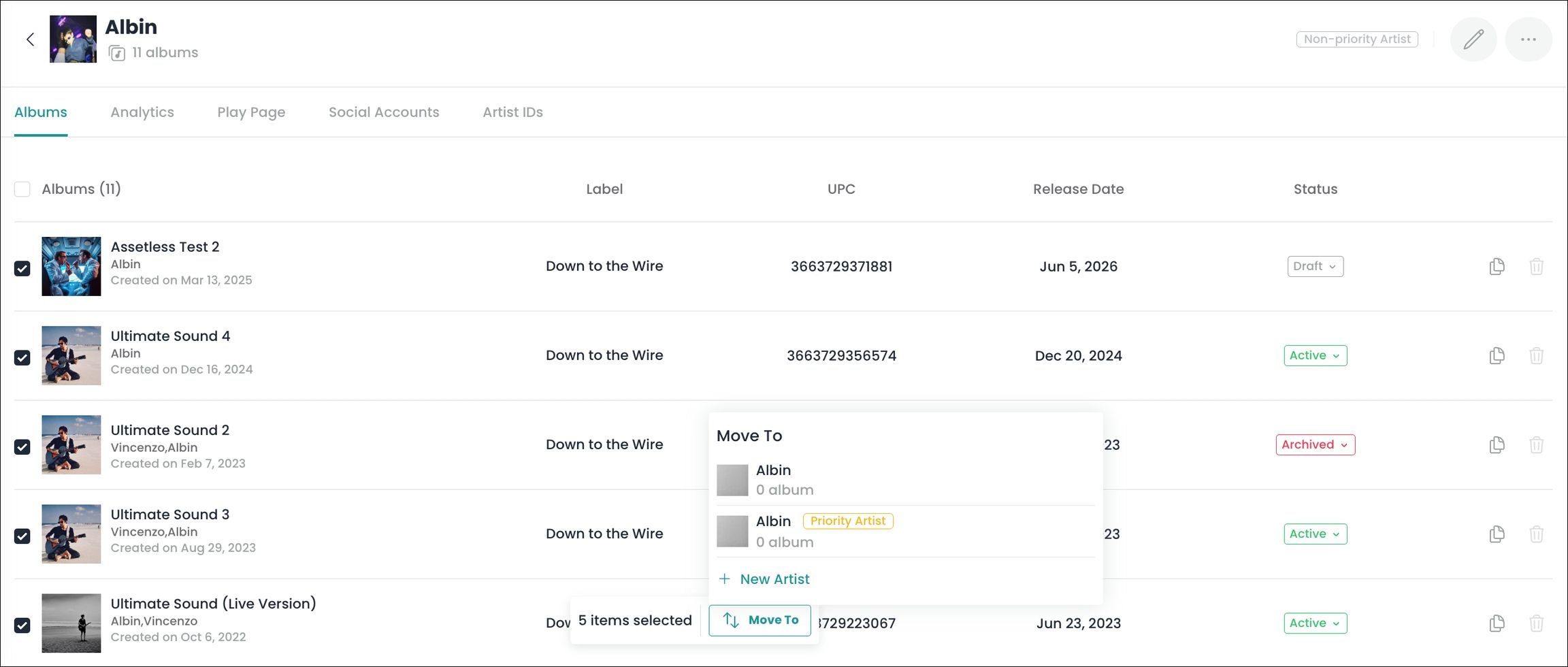
On the relevant artist page, using the checkboxes on the left end of the page to select products will trigger the display of a CTA button at the bottom of the page, with 2 options available :
moving the products to one of the existing homonymous artist pages
moving the products to a brand new artist page
CTA button displayed to migrate the selected products to another 'Albin' artist page:
Artist page deletion
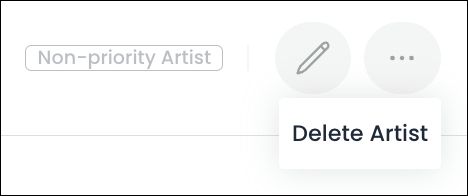
If an artist page has no products linked to it, it can be deleted by using the corresponding CTA button available in the top right corner of the artist page.
CTA button displayed to delete an artist page with no products linked:
The Product Migration and Artist Page Deletion features can only be used to move products across homonymous artist pages and cannot be used to perform the bulk renaming of an artist across a batch of products.
Was this helpful?
Still need help? Ask the team